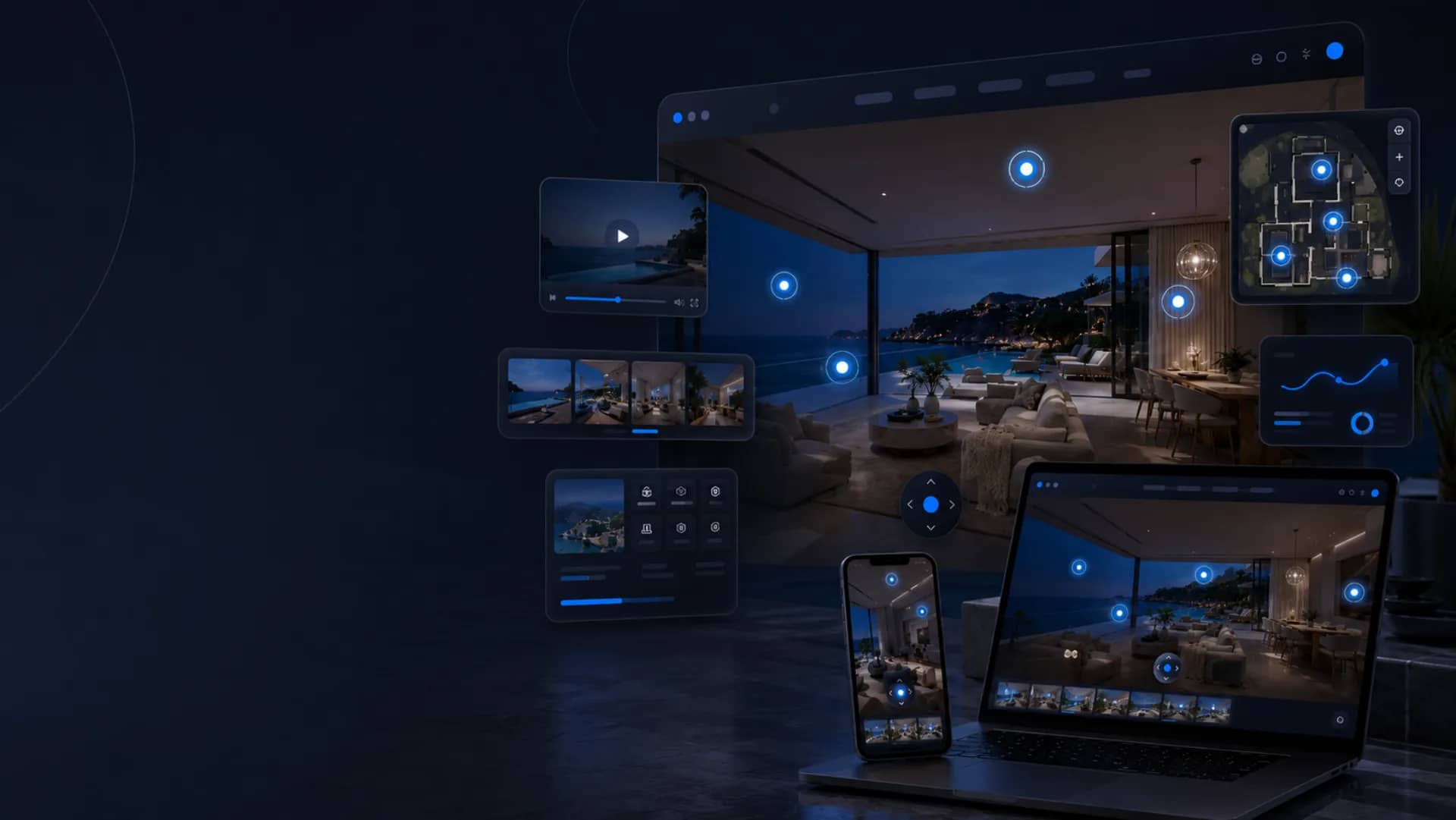
Web 360: far more than a plain virtual tour
A Web 360 tour is far more than a plain virtual tour. Web 360 is a brand and a concept registered with the INPI, devised by HD MEDIA to rethink the immersive 360° experience.
Call us+33 (0)9 54 44 33 45
Your virtual tour, online and ready to be shared.
We believe a virtual tour should never be limited to a succession of panoramas. It must become a complete discovery experience: smooth, intuitive, elegant, interactive and genuinely useful, both for the visitor and for the organisation offering it. The aim is not merely to show a place. The aim is to create a journey, to highlight the right spaces, to guide the visitor naturally and to surface the information that helps them understand, project themselves and decide. With Web 360, the virtual tour becomes a complete digital experience, designed to turn a passing visitor into a client, a prospect, a guest, a candidate or a future resident.
We built our own virtual tour player.
To move past the limits of the market’s standard solutions, we developed our own virtual tour player. The player is the space in which the tour appears on screen: the interface that lets visitors move, look around, open content, click on information and interact with the experience. This proprietary technology lets us design tours that are more accomplished, more personalised and hard to compare with a classic 360° tour. We do not depend on a fixed tool: we control the delivery environment, the interactions, the ergonomics and the room to evolve. Because we master the technology ourselves, we can adapt the experience to each project, each sector and each client’s goals. That is one of HD MEDIA’s great strengths: offering a genuinely bespoke virtual tour, serving a concrete purpose.

Features designed around the needs of the project
We can imagine, design and build specific features around the needs of the project. The possibilities are wide: they depend on the goals, the level of interactivity sought and the budget you wish to devote to it. That flexibility lets us offer simple, effective tours as well as far more complete premium set-ups when the project warrants it.
Interactive modules
Building blocks designed for your business, added inside the tour itself.
Custom journeys
A path built to lead the visitor to the spaces that matter.
Dynamic content
Information that evolves with your news, your offers or your seasons.
Dedicated interfaces
Ergonomics and a visual identity matched to your brand and your uses.
Conversion tools
Action buttons, forms and contact points placed at the right moment.
Advanced immersive experiences
Custom navigation, information points, embedded media, action buttons, menus: every tour can be enriched.
What Web 360 includes
Everything you need to publish your virtual tour and distribute it across your channels, with no technical skills on your side.
A tour online, with no friction
Why publish your virtual tour as Web 360?
A virtual tour sitting on a hard drive helps nobody. Web 360 makes it visible, shareable and measurable: it works for you continuously, on your website and in your sales conversations.
Your spaces visible immediately
Visitors discover volumes, atmosphere and layout before travelling — the transparency that reassures and moves the decision forward.
Content that lives on your website
Embedded in a page, the tour increases time on site and gives you content your competitors do not have.
A sales argument ready to send
A link in a quote, an email or a message: your contact visits the place in seconds, wherever they are.
An asset you control
Unlike a third-party platform, your Web 360 belongs to you: you decide where it is published and how it evolves.
Where to publish your Web 360?
One link, as many touchpoints: your tour goes everywhere a potential client tries to understand your place.
- Your websiteOn the homepage, a venue page or a dedicated page, as a full-frame embed or a clickable thumbnail.
- Your Google profileAs a complement, 360° views published on Google Street View strengthen your local visibility.
- Social media & emailingPosts, stories, campaigns and newsletters: the link opens straight in the visitor’s browser.
- QR code on your materialsStorefront, brochure, site board, business card or trade show: one scan opens the tour.
- Your sales conversationsQuotes, proposals, tender responses: a link that replaces long explanations.
- Screens, kiosks and trade showsOn a touch screen in a lobby or on a stand, the tour becomes a self-contained presentation tool.
360° views on your Google profile: discover the Google Street View service at /hd-media-google-street-view.
Web 360 or Web 360+?
Your questions about Web 360
What is the difference between a virtual tour and Web 360?
Do I need a website to use Web 360?
Can I upgrade from Web 360 to Web 360+ later?
Can the tour be viewed on mobile?
Can I update my tour after it goes live?
Digital sovereignty in the service of your content.
A Made-in-France solution with 100% French hosting: your immersive content stays controlled, secure and delivered to the highest standard.
- Made-in-France solution
- 100% French hosting
- Controlled & secure data
- Delivery to the highest standard
Ready to showcase your spaces with HD Media?
Let’s talk about your project and get a tailored demo.
Let's talk about your project
A question, a project or an idea? Our team helps you craft unique immersive experiences.
- 360° virtual tours
- HDR photography
- Immersive video
- Drone 360°